Packaging mockup maker
Free 3D packaging mockup generator
Try the sample packages here, then open the one you like in the editor to make it yours.
Try the tool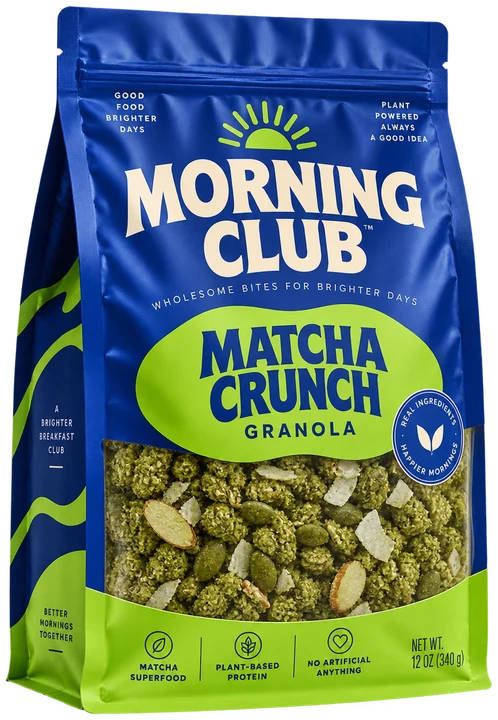 From flat to finished.
Your creative workspace
Sign in to use this tool
Continue with your Google account to design, preview and download. Your projects are saved to your account as you work.
Checking your sign-in…
Designing is free. Free mockups carry a watermark, and dielines and print files are part of Pro.
No payment needed to start.
Quick answer
Choose a sample package, rotate it, select a background, and download a PNG preview. To make a mockup of your own brand, open that structure in the editor, add artwork to the right panels, then adjust the material, scene, lighting, and camera before rendering.
Begin with the package you will make
A mockup tells a better story when it has the real dimensions and closure. Try the sample packaging above to compare shapes and scenes. When you open a package in the editor, you can size its structure or import a supplier PDF, DXF or SVG, then place artwork on its actual panels.
The flat dieline stays available in the editor while you work, so you can see where a design crosses a score or seam. The sample artwork in this preview is a starting point; your own brand artwork goes in the editor.
Set a scene that supports the review
Here you can change the background, rotate the sample pack, and download the view as a PNG. In the editor, choose material, lighting, and camera settings to make your own artwork look believable. A clean studio background makes colour and layout easier to assess; a lifestyle scene can help a campaign review.
Turn the model to check the front, back, top, and closure. The important production mistakes are usually on a seam, a flap, or the panel nobody saw in the hero shot.
Try a sample
Select a package and rotate its preview.
Choose a background
Compare a plain colour with a photographed scene, then save a PNG.
Open the editor
Use the selected structure as a starting point for your own artwork.
Render and inspect
Set material, light, and camera, then save a polished view and a plain proof view.
Common questions
Can I use my own artwork?
Yes. The preview above shows sample artwork. Open the selected package in the editor to add your own text, images, and graphics or place existing PDF, SVG, or image artwork on its faces.
Can I change the background?
Yes. Choose a background for the sample preview here. The editor adds lighting and camera controls for a clean approval proof or a more expressive presentation image.
Does the mockup use a real dieline?
It can. Built-in structures are sized dielines, and you can import a supplier PDF, DXF or SVG for a custom package. Check the folded result before treating the rendering as a production proof.
Put it into practice.
Start with the structure, check the fold, and make the file your printer needs.
Explore mockups